
Livestream quiz
The quiz show, live in your meeting
Our quizmaster is live on camera in the QuizX studio. You play along from wherever you are, on your own phone.
This page explains how it works and what to prepare, whether you are playing or organising.
 Live
How it works
A real show, just through the screen
Not a quiz on a shared screen, but the same show we run on location. The difference: the quizmaster is in our studio and you are at home, in the office or spread across several places.
- 1
Live from the QuizX studio
The quizmaster hosts live on camera, with proper light and sound. You see and hear each other, so there is banter, teasing and laughter.
- 2
With a stream technician
A stream technician runs the picture, sound, questions and scoreboard. The quizmaster can focus fully on your group and the show keeps its pace.
- 3
In your Teams or Zoom, or on Google Meet
We join your own Teams or Zoom meeting. If you would rather we host, we set up a Google Meet and send you the link.
- 4
Play along on your phone
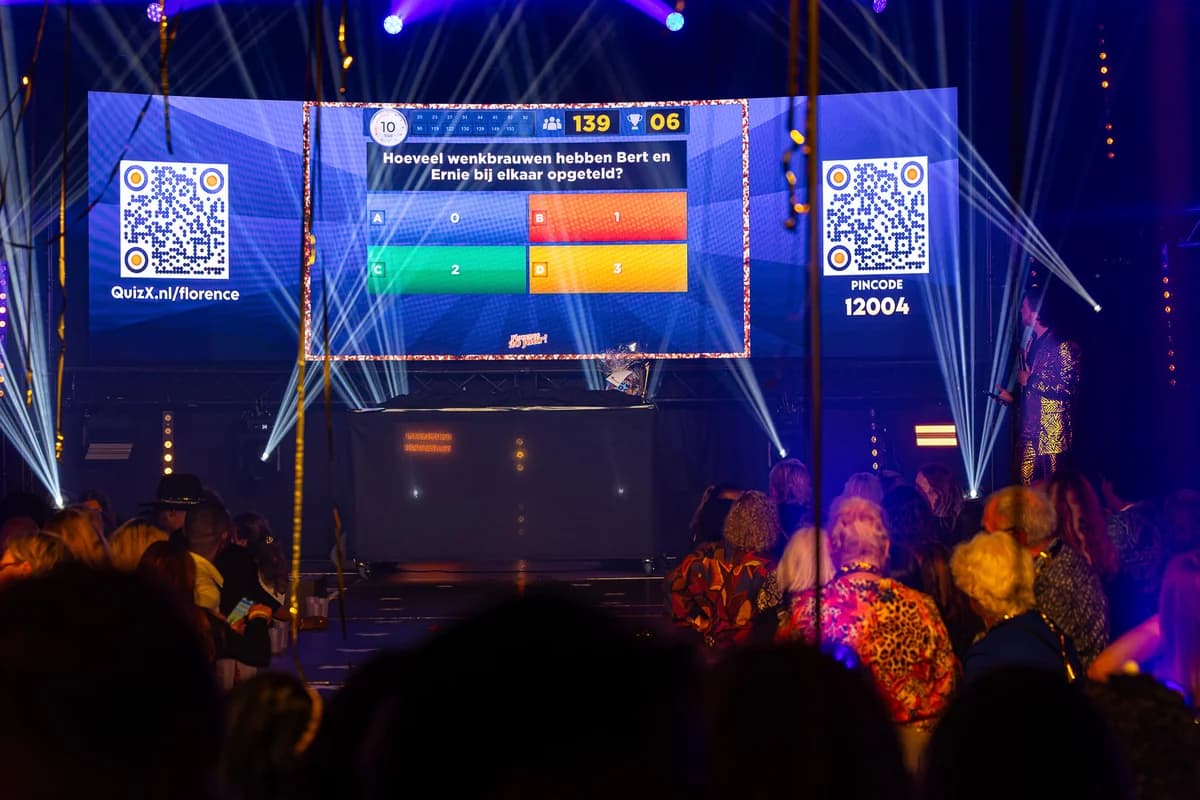
You join through a QR code on screen or a link. You answer in your browser, no app to install. The scoreboard is shown live in the meeting.
For participants
What to prepare
A few small things, so you can play from the moment the quizmaster starts.
Phone charged
Your phone is your answer button. Charge it beforehand or keep the charger close.
A laptop or screen for the meeting
Open the meeting on a laptop or a bigger screen. That is where you see the quizmaster, the questions and the scoreboard. Your phone is only for answering.
Camera on, for the atmosphere
It is a show, not a webinar. With your camera on, the quizmaster sees who cheers and who doubts, which makes it more fun for everyone.
Sound clearly audible
Turn on your sound through speakers or a headset, so you hear the questions and the music.
QR code or link, no app
At the start a QR code appears on screen and we share a link. Scan or click, pick your team and you are in. No account, no download.
Join a little early
Log in a few minutes before the start. Everything will be ready and we start together on time.
Teams: together or on your own
Everyone plays on their own phone. Colleagues in the same place, for example together in a meeting room, can also play as one team on a single phone.
Just like a quiz on location, it saves time when teams are made in advance. Agree who plays with whom and come up with a team name. At the start you pick the right team straight away and we can begin.
Tip for the organiser: put the team split in the invitation, so everyone knows their team when they log in.
Your own question round about your organisation
Make the quiz truly yours with a round about colleagues, the company or your year. You send us the questions, we build them into the show with images and answers, just like the other rounds.
€49 per round
Send them in at least 5 working days before the quiz.
For organisers
Checklist for the organiser
We agree on these points in advance, so the show starts smoothly on the day.
Test call in advance
We plan a short test call in the platform you use. That way we know for sure that picture, sound and screen sharing work.
Who sends the invitation
Playing in Teams or Zoom? Then you send the invitation and add the quizmaster and the stream technician. If we host on Google Meet, we send you the link to pass on.
Number of participants
Let us know how many people will play and how many sit together in one place. We tailor the show and the team split to that.
External guests allowed
Check that external guests may join your meeting and share their screen, and that someone can let them in from the lobby.
Share this page
Put the link to this page in the invitation. Participants will then know what to prepare.
Price indication
What does a livestream quiz cost?
- The quiz show
- Based on the number of participants and the length of the show, the same prices as on location.
- Per our price scale
- Online production
- Studio, camera, lighting and the stream technician who brings the show into your meeting.
- On request
- Own question round
- Optional. Send the questions at least 5 working days in advance.
- €49 per round
All prices exclude VAT. You always receive a tailored quote first. See the price scale (Dutch)
Frequently asked questions
No. You play along through a QR code or link in your browser. No app, no account.
In your own Teams or Zoom meeting, or in a Google Meet we set up for you. We choose together what works best for your group.
Yes. People in the same place can play as one team on a single phone, everyone else plays from their own spot.
You choose a show of 45 to 60 minutes or 90 to 120 minutes, just like on location.
More from QuizX
Planning a livestream quiz?
Leave your details and tell us briefly what you are looking for. We reply quickly with a proposal and available dates.
Prefer WhatsApp? Send a message to +31 70 204 2380.